


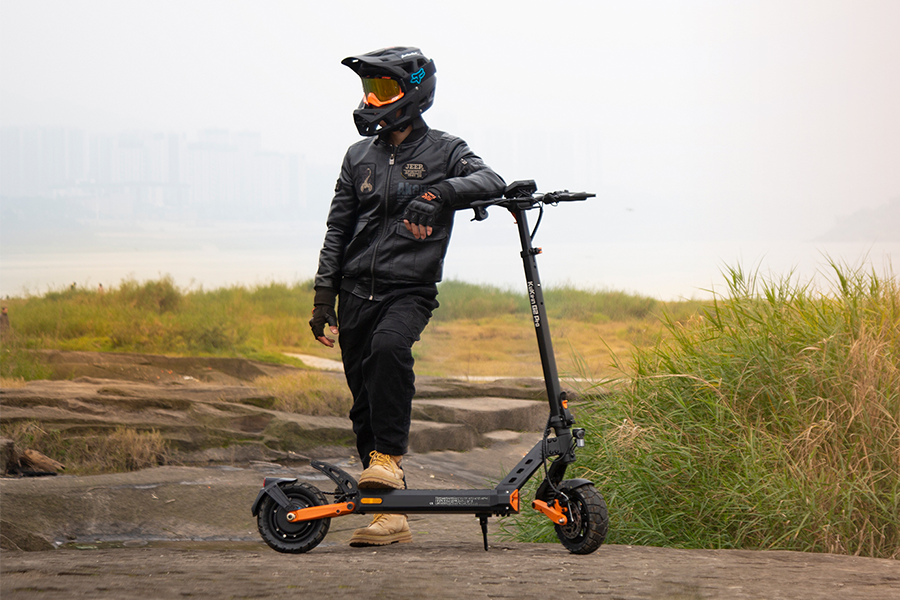


It's frustrating when your scooter suddenly stops working.
But don't rush to send it for repair just yet. Many of the most common problems can be fixed at home in 10 to 15 minutes. This guide walks you through the most frequent KuKirin issues step by step — from "won't turn on" to strange noises and error codes on the display.
Let's go from the simplest checks to the more advanced ones.
1. My KuKirin Scooter Won't Turn On
This is the most common problem. Don't open up the battery yet.
Check the battery level first
It sounds obvious, but plenty of people forget to charge. Plug in the charger and look at the light. It should be red while charging. If it's green immediately, the battery is either full or not making a good connection.
Inspect the charger and charging port
-
Charger light not on? Try a different wall outlet. Still nothing — the charger may be dead.
-
Look at the charging port on the scooter. Any bent pins, rust, or dirt? Dust buildup can stop it from making contact.
Test the power button and internal connections
Press the power button several times quickly to rule out a stuck button. Still dead? You may need to open the deck and check if the battery connector has come loose from the controller. That happens sometimes during shipping.
When to consider a battery replacement
If you've tried everything above and your scooter is over two or three years old with noticeably less range, the battery is likely worn out.
2. The Scooter Turns On But Won't Move
The display lights up. Lights work. But nothing happens when you hit the throttle. This usually means a safety sensor is stopping you.
Is the kick-to-start feature activated?
Most KuKirin models — like the G2 Pro, G3 Pro, and G4 Max — have kick-to-start. You need to push off and reach about 3 km/h before the motor will engage. The throttle does nothing while standing still. That's a safety feature, not a defect.
Check the brake sensor — this is a very common one

When you squeeze the brake lever, a sensor cuts power to the motor. If that sensor is stuck in the "braking" position:
-
You might see a brake icon on the display (if your model shows one)
-
Fix: Squeeze and release the brake lever several times to see if it returns properly. If not, you may need to adjust the small sensor trigger near the lever.
Inspect throttle and motor hall sensors
If nothing else works, the throttle or the motor's internal hall sensors could be failing. Signs include the throttle sometimes doing nothing or the scooter jerking violently when starting. This is not a DIY-friendly repair — contact support.
Loose controller wiring
Open the deck and check the thick motor phase wires going into the controller. Any loose connections or burn marks? Burnt smell or blackened plastic usually means a dead controller.
3. Loss of Power or Reduced Speed
Full battery, but you can only hit 20–25 km/h, and hills feel impossible.
Check your speed mode settings
You might have accidentally switched into Eco mode or low gear. Press the mode button (usually marked M) on the display and watch the number change. Most KuKirin scooters have three gears: 1 (slowest), 2 (medium), 3 (fastest).
Low battery voltage limiting performance
Below 30–40 percent battery, the controller limits power to protect the battery. That's normal. Charge it up and try again.
Overheating protection
On hot days, after riding uphill or at high speed for 20 minutes, the controller or motor may overheat. Power drops automatically. Stop and let it cool for 15–20 minutes.
Low tire pressure
Soft tires create much more rolling resistance. That kills speed and range. Keep your tires at 45–50 PSI — check the sidewall of your tire for the exact number.
4. Strange Noises from the Motor or Wheels
Unusual sounds usually mean something is rubbing or failing. Don't ignore these.
Clicking or grinding from inside the motor
This often happens at low speeds or when starting. It could be a failed hall sensor inside the motor or a loose motor phase connection. Contact support for diagnosis.
Squeaking brakes
-
Mechanical disc brakes: Something may be stuck between the pad and rotor, or the pads could be completely worn down. Less than 1mm of pad left means it's time to replace.
-
Drum brakes: These wear down inside over time. You may need new brake shoes.
Loose fenders or screws
Sounds like plastic rattling at certain speeds. Check the screws on your front and rear fenders. Tighten anything that's loose.
5. Error Codes on the Display
When your KuKirin scooter detects a fault, it shows an error code starting with E. Here's what they mean.

| Error Code | Meaning | Quick Fix |
|---|---|---|
| E001 | Controller communication error | Check if the controller wiring harness is loose |
| E002 | Throttle error | Throttle needs replacement |
| E003 | Motor hall sensor error | Motor repair or replacement needed |
| E004 | Brake sensor stuck | Check if brake lever returns fully |
| E008 | Controller overheating | Stop and let it cool for 15–20 minutes |
Different models may use slightly different codes. Check your user manual to be sure.
6. Battery Won't Charge or Holds Very Little Charge

Normal charging vs. faulty charging
When you plug in the charger, the light should be red while charging and turn green when full. If it's always green, the battery isn't charging — either it's full or there's a bad connection.
Check your charger with a multimeter
If you have a multimeter, test the charger's empty output voltage. For a 48V battery, the charger should put out around 54.6V with no load. Anything far off means the charger is bad.
Extreme temperatures affect charging
-
Winter (below 0°C / 32°F): Lithium batteries won't charge properly in the cold. Bring the scooter indoors for an hour to warm up before charging.
-
Summer (above 40°C / 104°F): Charging in extreme heat kills battery life fast. Find a shaded spot.
Battery cell imbalance – when to replace
If your scooter shows full charge but voltage drops sharply the moment you touch the throttle, the internal cells are out of balance. Regular users can't fix this. You need a new battery pack.
7. Brake Problems – Spongy, Squeaky, or Weak
Brakes are not something to guess about.
Adjusting mechanical disc brakes
-
Brake lever feels loose and pulls all the way to the handlebar? The cable has stretched. Find the barrel adjuster on the caliper or cable and turn it clockwise to take up slack.
-
Squeaking while braking? The rotor may be slightly warped. You can try a rotor truing tool or just replace it.
When to replace brake pads
Check the thickness of your brake pads. If they're down to 0.5mm or less — or you can't see them at all — replace them immediately.
Hydraulic brake troubleshooting (higher-end models)
If the lever feels mushy and pulls almost to the bar before biting, there's either air in the system or a leak. This needs bleeding or fluid top-up. Take it to a bike shop or e-scooter repair shop.
FAQ – Quick Answers to Common KuKirin Issues
Q1: My KuKirin scooter got caught in the rain. What should I do?
Turn it off immediately. Dry it with a cloth and let it air dry in a ventilated spot for at least 24 hours. Do not turn it on until completely dry.
Q2: The scooter suddenly loses power while riding, then works fine later?
That's likely controller overheating. Think about how hard you were riding — and check that the cooling vents aren't blocked.
Q3: Are parts compatible between G2 Pro and G3 Pro?
Mostly no. The motors, controllers, and batteries use different specs. Always check your exact model before buying replacement parts.
Q4: Why does my full battery show 52V instead of 54.6V?
This can be normal. Multimeter accuracy and charger cutoff settings vary. If your range is fine, don't worry about it.
Q5: Can I replace the battery myself?
Yes, but carefully. Buy an official battery. Disconnect power first, and connect everything correctly. If you're not comfortable with wiring, pay a professional.
When to DIY vs. When to Contact a Professional
You can handle these yourself:
-
Tightening loose screws
-
Adjusting brake cable tension
-
Checking and reseating loose connectors
-
Adding air to tires
Get professional help for:
-
Controller or battery circuit problems
-
Motor hall sensor failures
-
Hydraulic brake system issues
-
Anything you're unsure about
⚠️ Safety warning: Batteries and controllers deal with high current. Mistakes can cause short circuits or even fire. When in doubt, spend a little money on a professional.
Preventative Maintenance Tips to Avoid Future Problems
Small habits make a big difference:
-
Check tire pressure and brakes once a week
-
Every three months, check all screws and bolts
-
Don't store your scooter in damp places or extreme temperatures
-
Check brake pad wear every six months
-
After riding in rain, dry it off and check the charging port
Do these few small things and you'll avoid at least 80 percent of common problems.
Final Thoughts
Most KuKirin scooter problems don't need a repair shop.
From kick-to-start not being activated to a stuck brake sensor, most issues in this guide are things you can solve yourself in a few minutes. For anything involving the battery or controller, going through official support is always the safest option.
Still having trouble? Contact KuKirin customer support → Contact us
